


VitaOS
A modern home screen for the PS Vita. VitaOS puts your games, films, music, apps and photos behind one fast, good-looking menu, with a PS5-style feel on the handheld you already own.
Overview
The Vita's original menu is a grid of app bubbles, and its homebrew lives in separate tools that each work differently. VitaOS brings everything into one place: games across RetroArch, PSP and Vita, films, music, photos, apps and a homebrew store. All of it sits behind tabbed navigation that is quick to learn on a 5-inch screen and works with the buttons or the touchscreen.
I designed and built it end to end: the information architecture, the interface and motion, the sound and the code. It's free and open source.
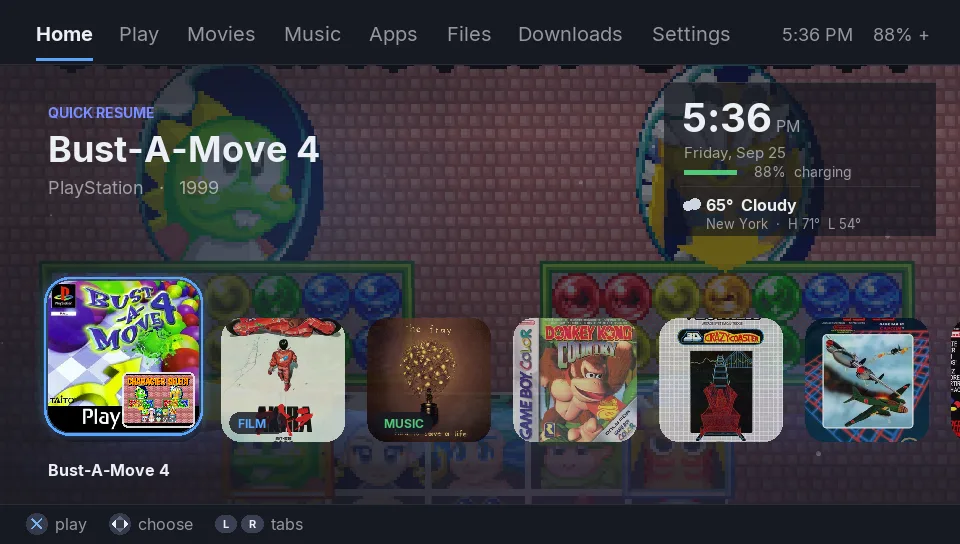
Home
Jump back into what you played last. Quick Resume snapshots, the time, battery and weather all sit on the first screen.
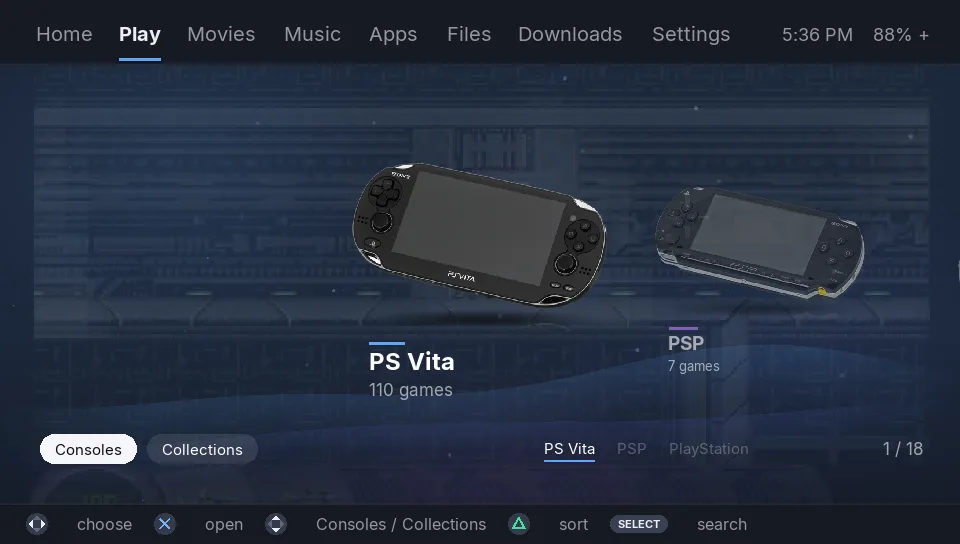
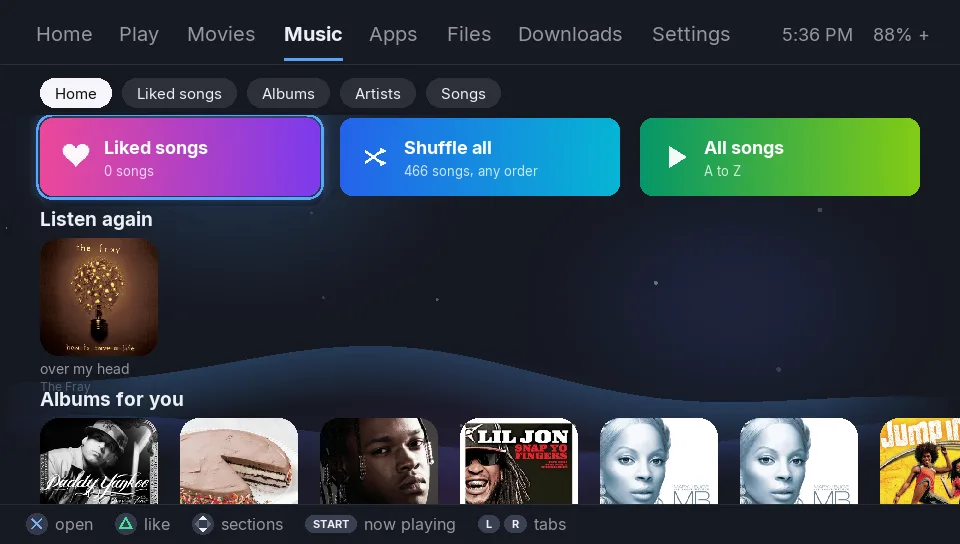
Play and Music
Play lists every game on the card by console and by collection, with box art, gameplay previews, favourites and search. Music covers albums, artists, songs, liked songs, shuffle and repeat, and keeps playing while you browse.
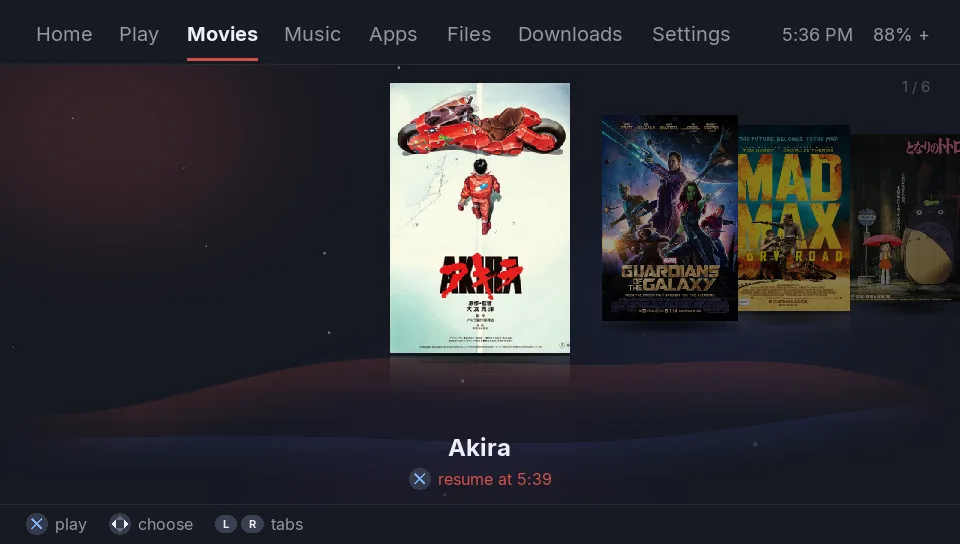
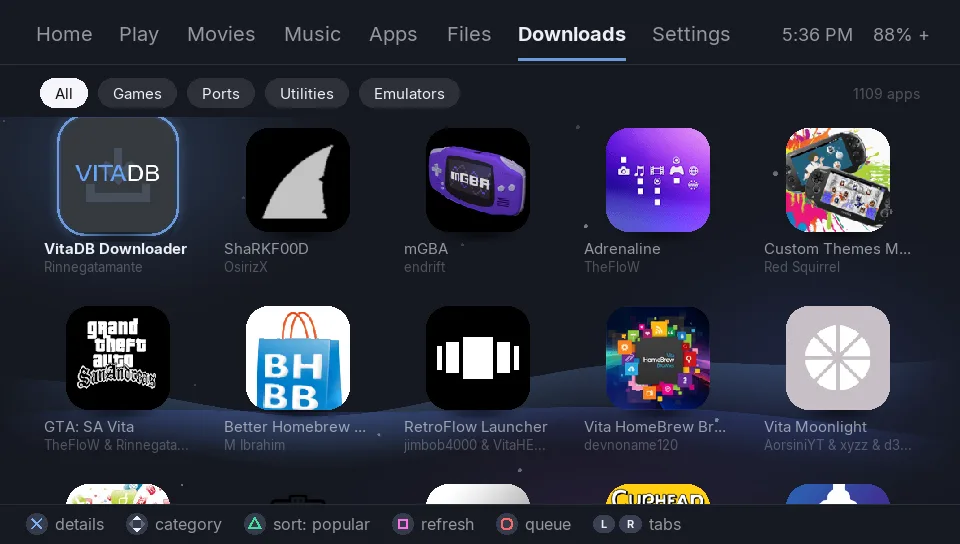
Movies and Downloads
Movies is a cover flow of your films with resume, plus swipe gestures for brightness and volume. Downloads is a homebrew store built on VitaHomebrewDB. It sorts by popularity and installs straight onto the Vita.
Details that make it feel like a console
- Finds everything on the memory card by itself, with no setup.
- Files, Settings, search, an on-screen keyboard, toasts, UI sounds and a live, tilt-aware background.
- An optional plugin makes VitaOS start at power-on and turns the PS button into a Home button, the way HOME works on a Switch.
- Updates itself from Settings with one button.
- Speaks eight languages: English, Español, Português, Français, Deutsch, Italiano, 日本語 and Русский.