WIIZARD
I had boxes of Wiis collecting dust and a garage full of CRTs I'd collected and refurbished. With Claude Code, I turned them into a fleet of arcade cabinets that boot straight into WIIZARD, a launcher I designed and built, ready to play whenever friends come over.
From boxes of Wiis to a home arcade
I'm an avid retro game collector, and I had boxes of Nintendo Wiis sitting around collecting dust. Softmodded, a Wii can emulate a lot, but the homebrew software they were running felt stale and was hard for anyone but me to use. I also had a garage full of CRTs I'd collected and refurbished.
With Claude Code and LLMs, I figured I could push the software much further than the old homebrew ever went. So I combined the two into one project: a fleet of arcade cabinets, ready to play the moment someone walks up. My stack of Wiis and CRTs is now a full arcade at home for when we have friends over.
What it does
- Arcade, consoles and more in one place. Neo Geo, Capcom CPS-1 and CPS-2 and classic arcade sets, plus Genesis, Super Nintendo and NES, GameCube and Wii games, all started with one button.
- Attract mode. Left alone, the cabinet plays gameplay clips like a real arcade machine until someone picks up a controller.
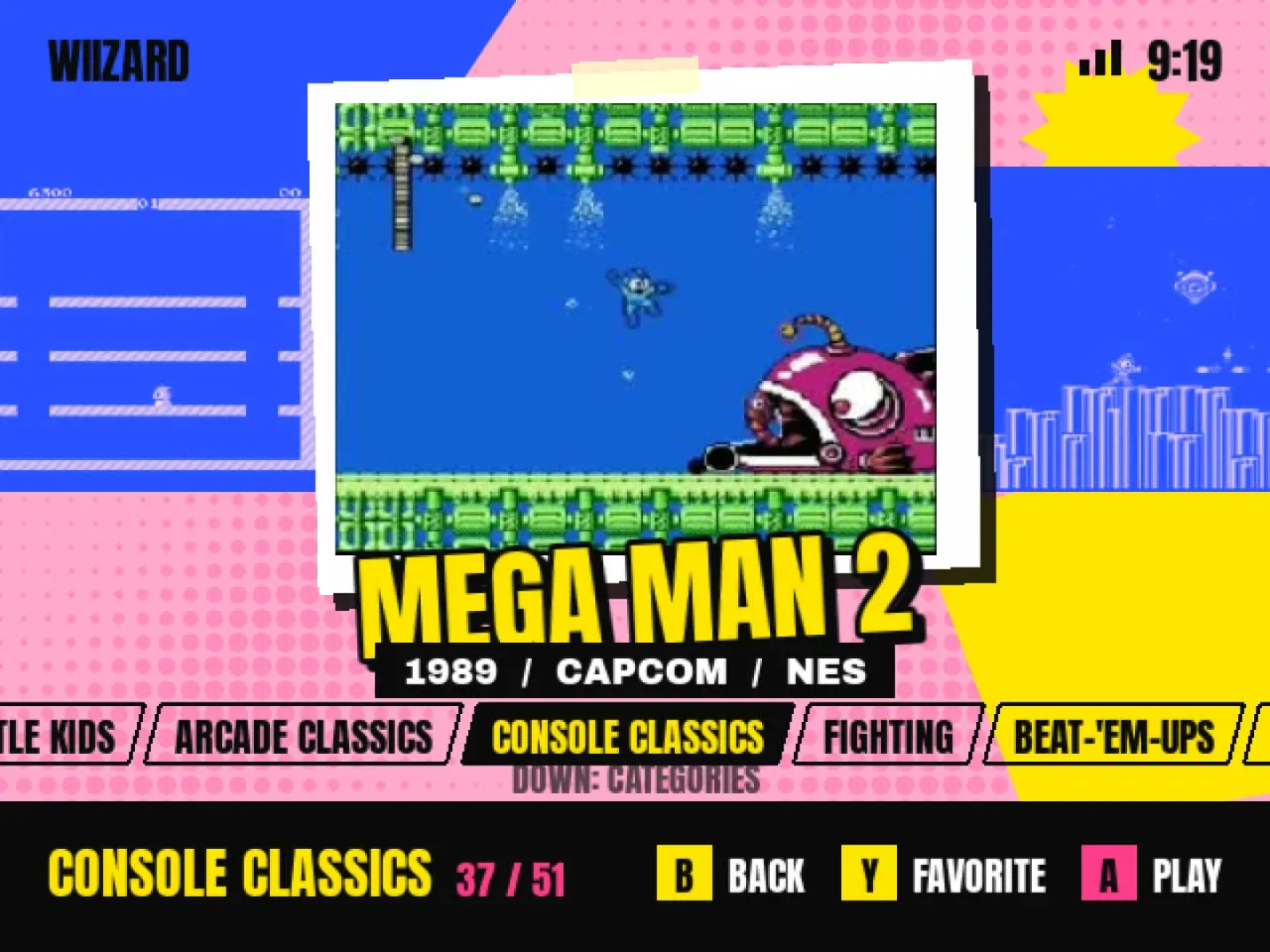
- Collections. Favorites, Recent, Quick Picks, Little Kids, Arcade Classics and more, ordered by what actually gets played.
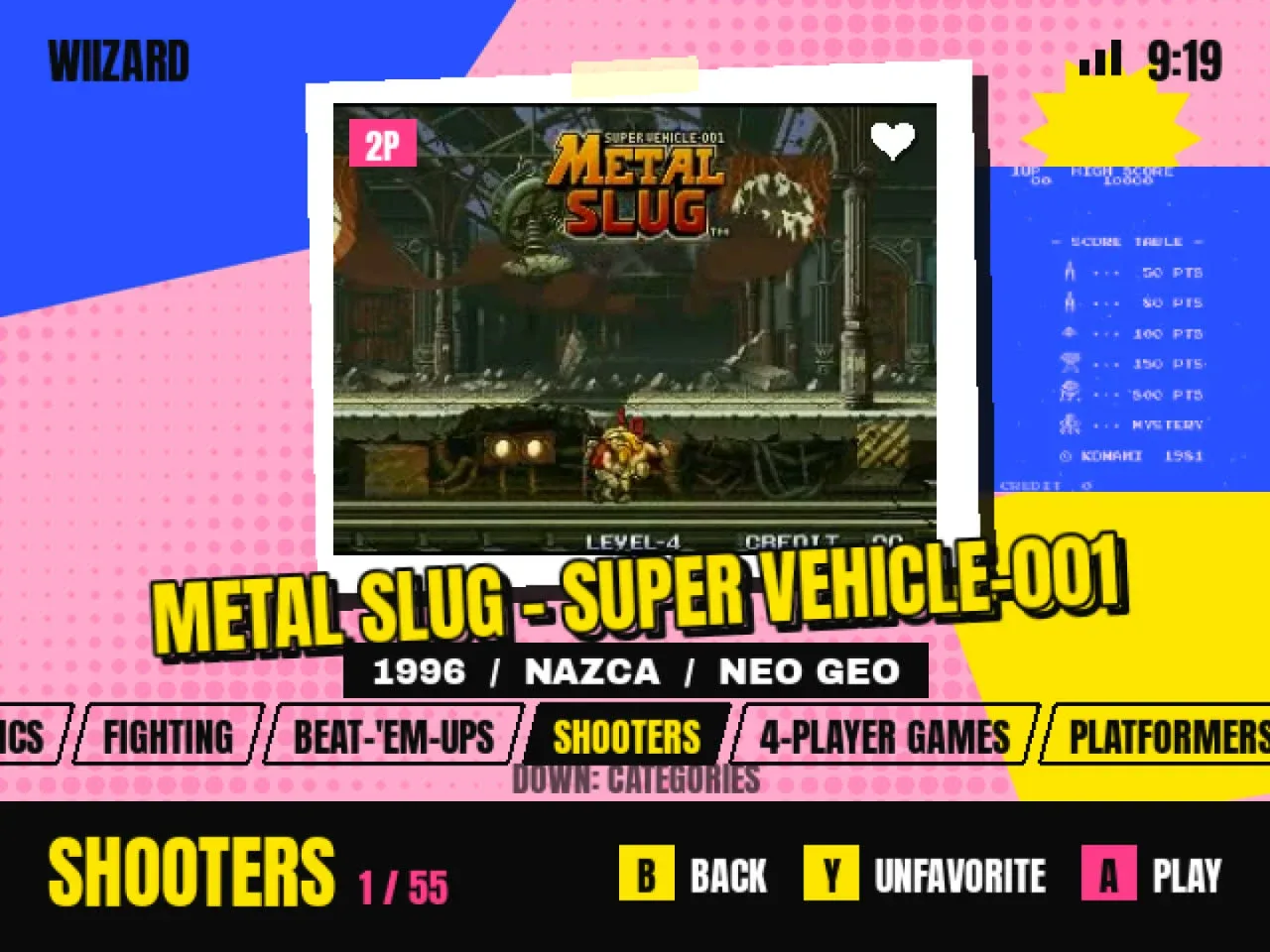
- High scores. Arcade high scores are collected from every cabinet and shown as badges in the menu, so friends can chase the best score in the house.
- Resume where you left off. Arcade and console games save when you quit and pick up from the same spot next time.
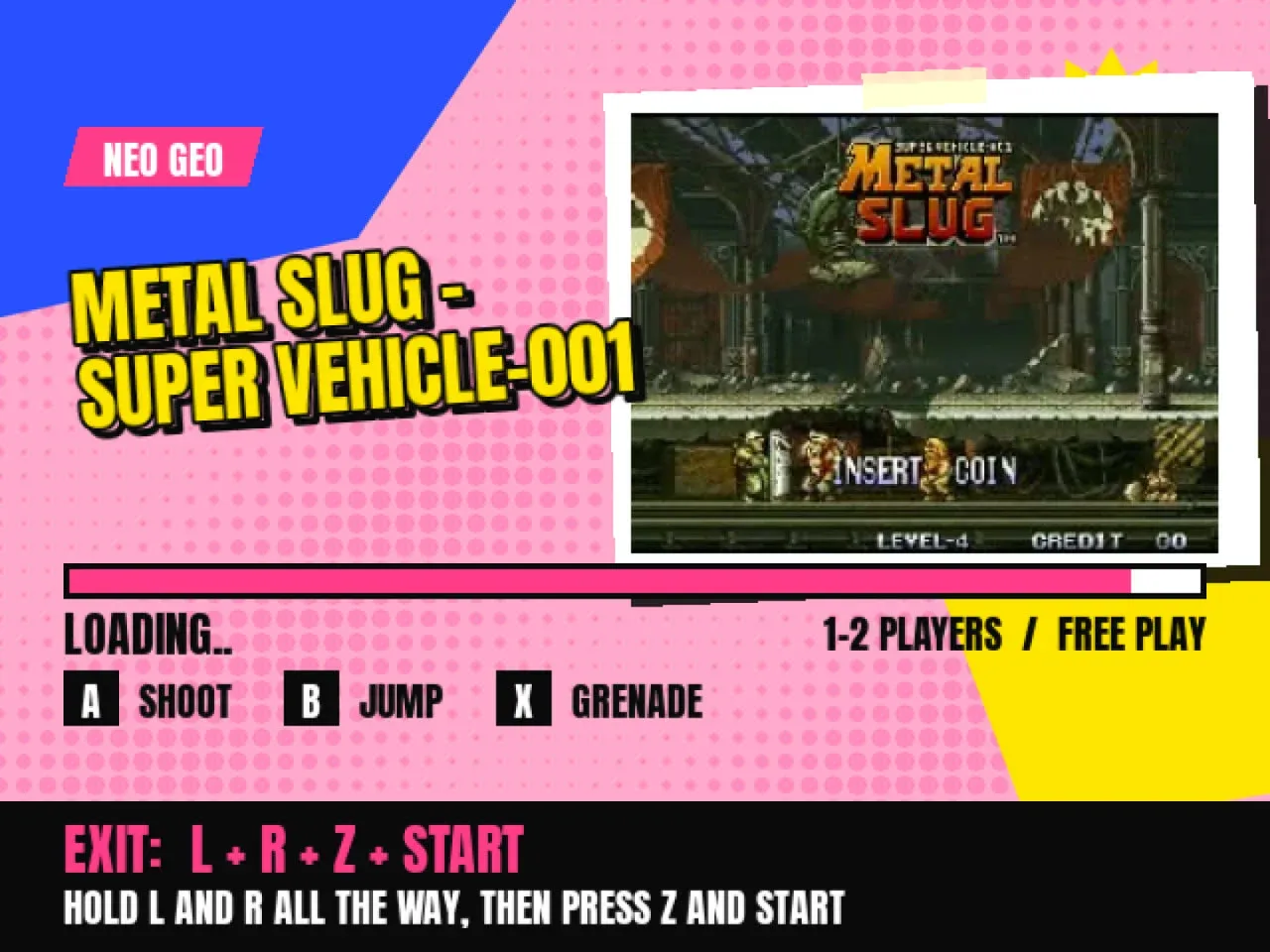
- Controls on screen. Every loading screen shows that game's buttons and the one exit combo that works in every game.
- Nearly pixel-perfect on a CRT. Games run at their original 240p resolution, with each arcade board's real pixel width, so they look the way they did on the original hardware.
- Looks after itself. Cabinets update on their own while idle, power down after a quiet stretch, and report problems to me.
- Next up: the disc drive. The launcher can already talk to each Wii's disc drive. Coming next: pop in a GameCube or Wii disc to play it or add it to the library, and DVD movies on drives that can read them.
Easy for anyone, including kids
- Nothing to break. Reset and HOME always go back to attract mode, never out of the launcher. There's no path to a settings screen, and nobody ever needs a Wii Remote.
- No accidental presses. Buttons do nothing for 0.8 seconds after a screen changes, so a mashed button doesn't skip what you were about to see.
- It recovers on its own. A game that doesn't start is retried once, then shows a plain message. One that fails twice is hidden and flagged for me.
- Made for the TV it's on. Each CRT is calibrated for its own width, height and position.
A look that reads across a garage
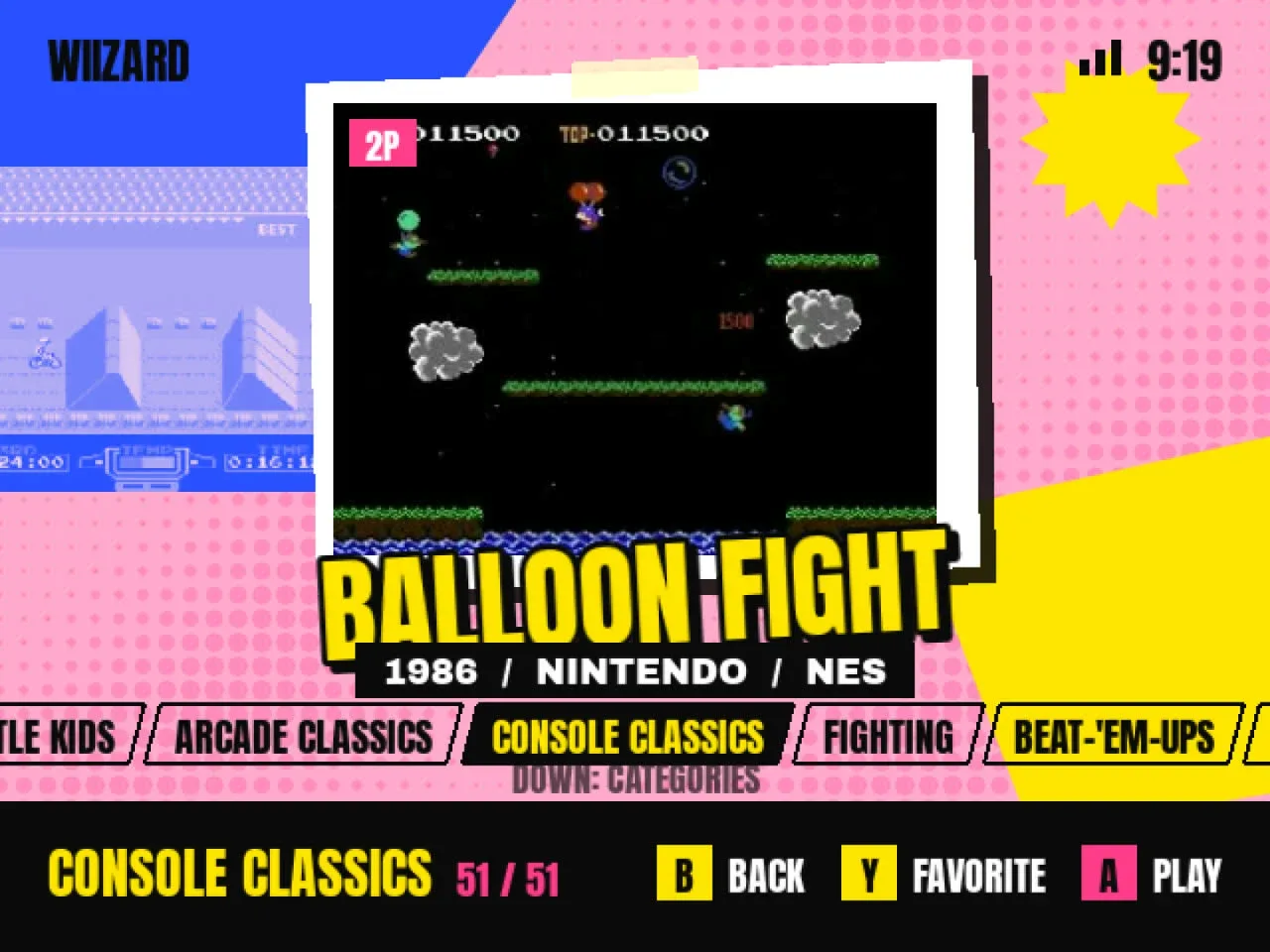
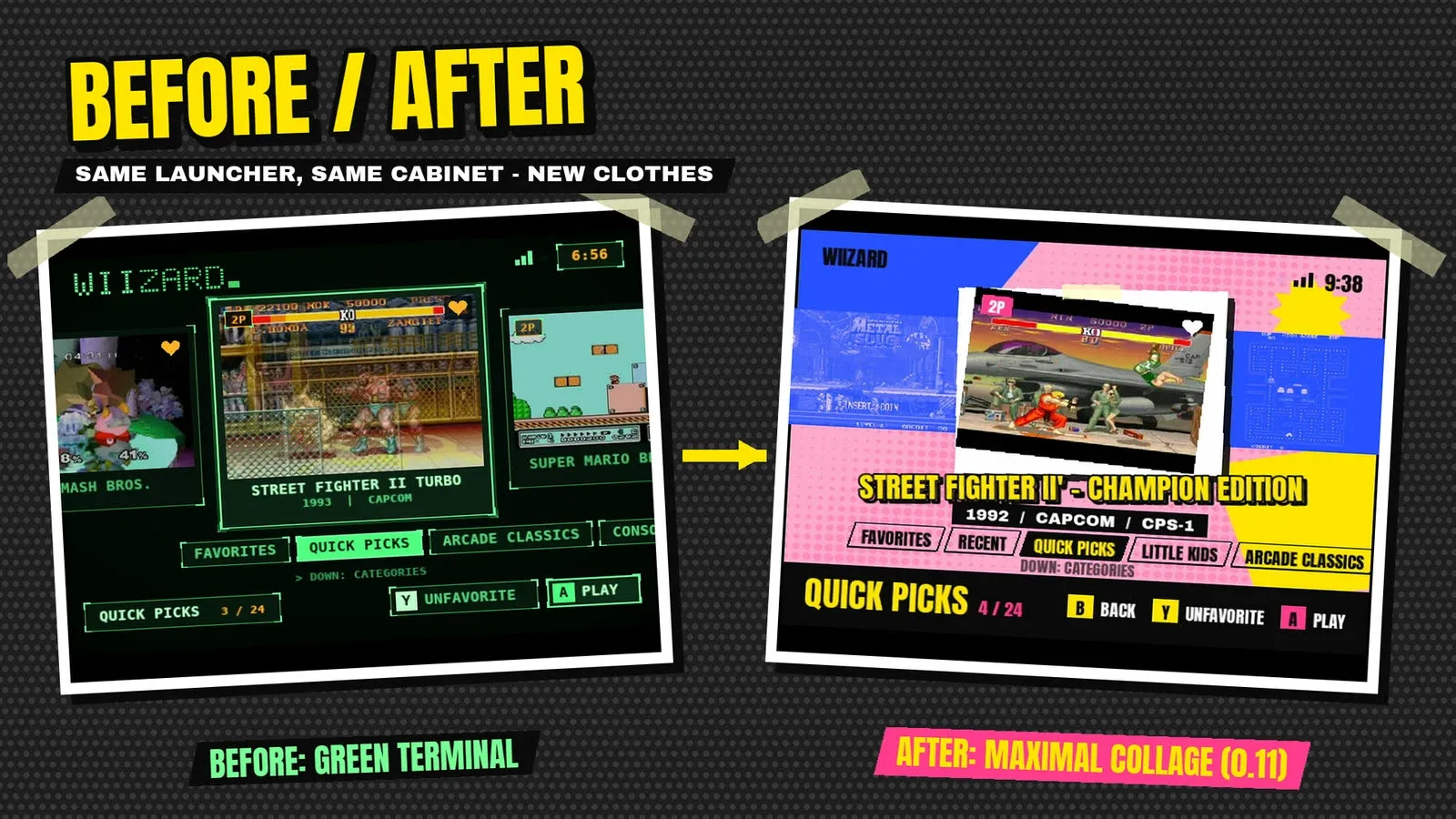
The first launcher was a green terminal menu: it worked, but it looked like a tool. The new look is a maximal collage: pink halftone paper, cut blue and yellow shapes, and the selected game's own demo on a taped, tilted photo, with the neighbors as blue duotones. It reads from across a garage and feels like a toy, not a settings app.
A wizard who says hello
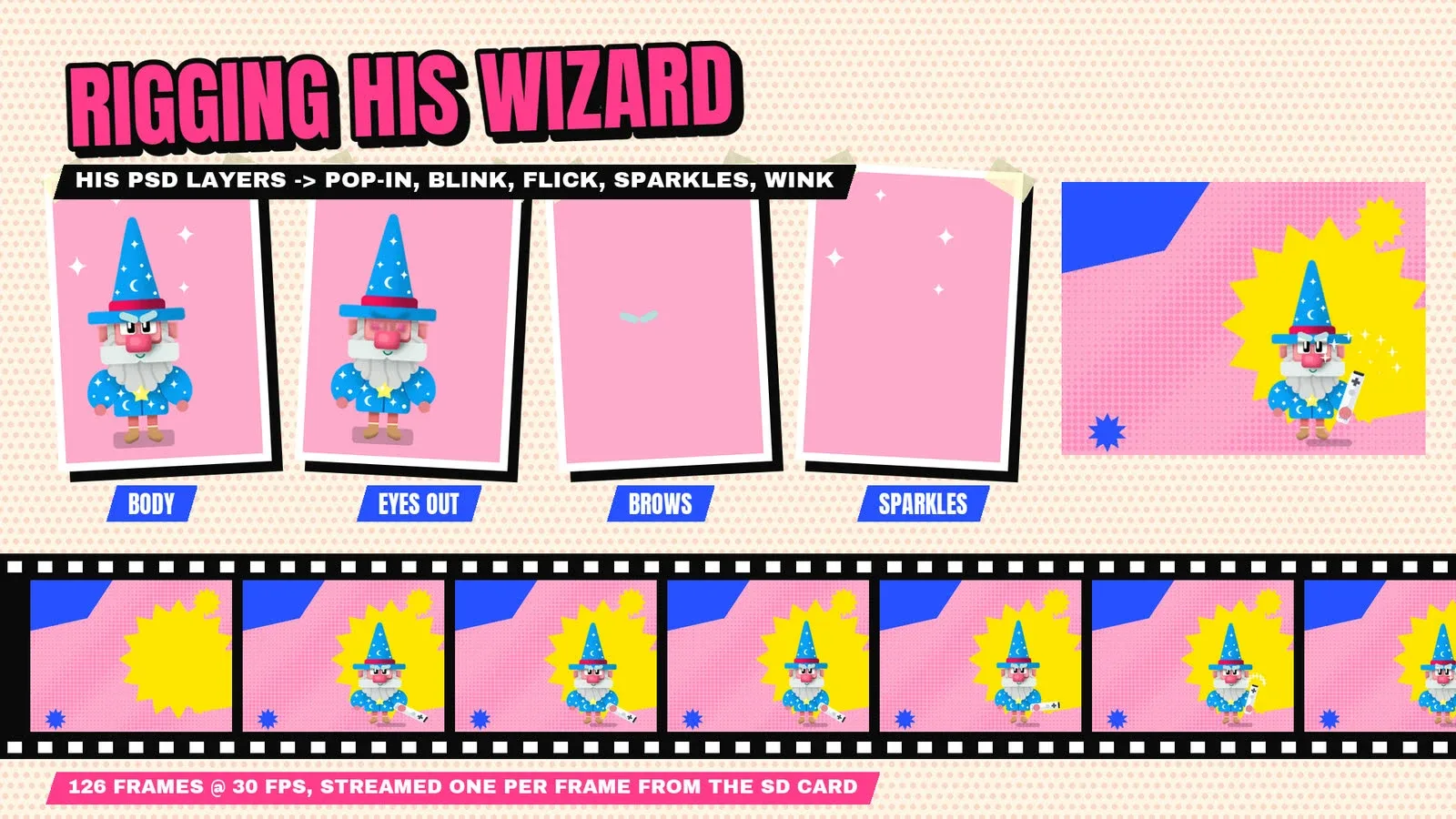
The wizard is my own character. I cut him out of the original Photoshop file, layer by layer, and puppeted him for the power-on intro: a pop-in with squash and stretch, a blink, the Wii Remote flicked up like a wand, sparkles and a wink. The 126 frames stream from the SD card one per frame.
Built and tested with Claude
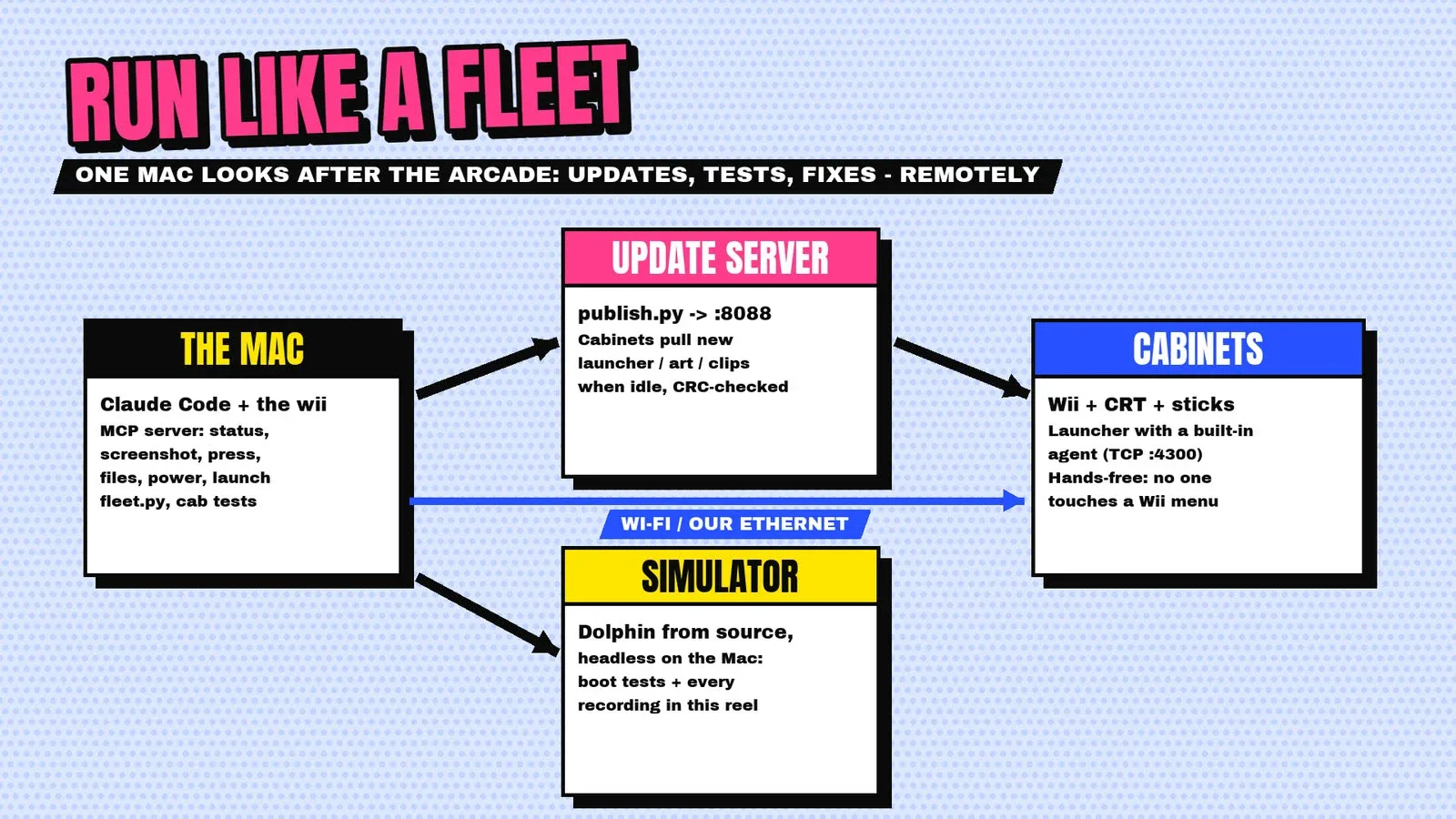
I built the launcher in C for the Wii with its own graphics code, after the off-the-shelf renderer crashed. It runs the menu at 60 fps on a 2006 console. A small agent inside it lets Claude run the whole fleet from my Mac, hands-free, through an MCP server: screenshots, button presses, installs, updates and unattended boot tests of every game, on real cabinets and in a simulator.
Wired, the hard way
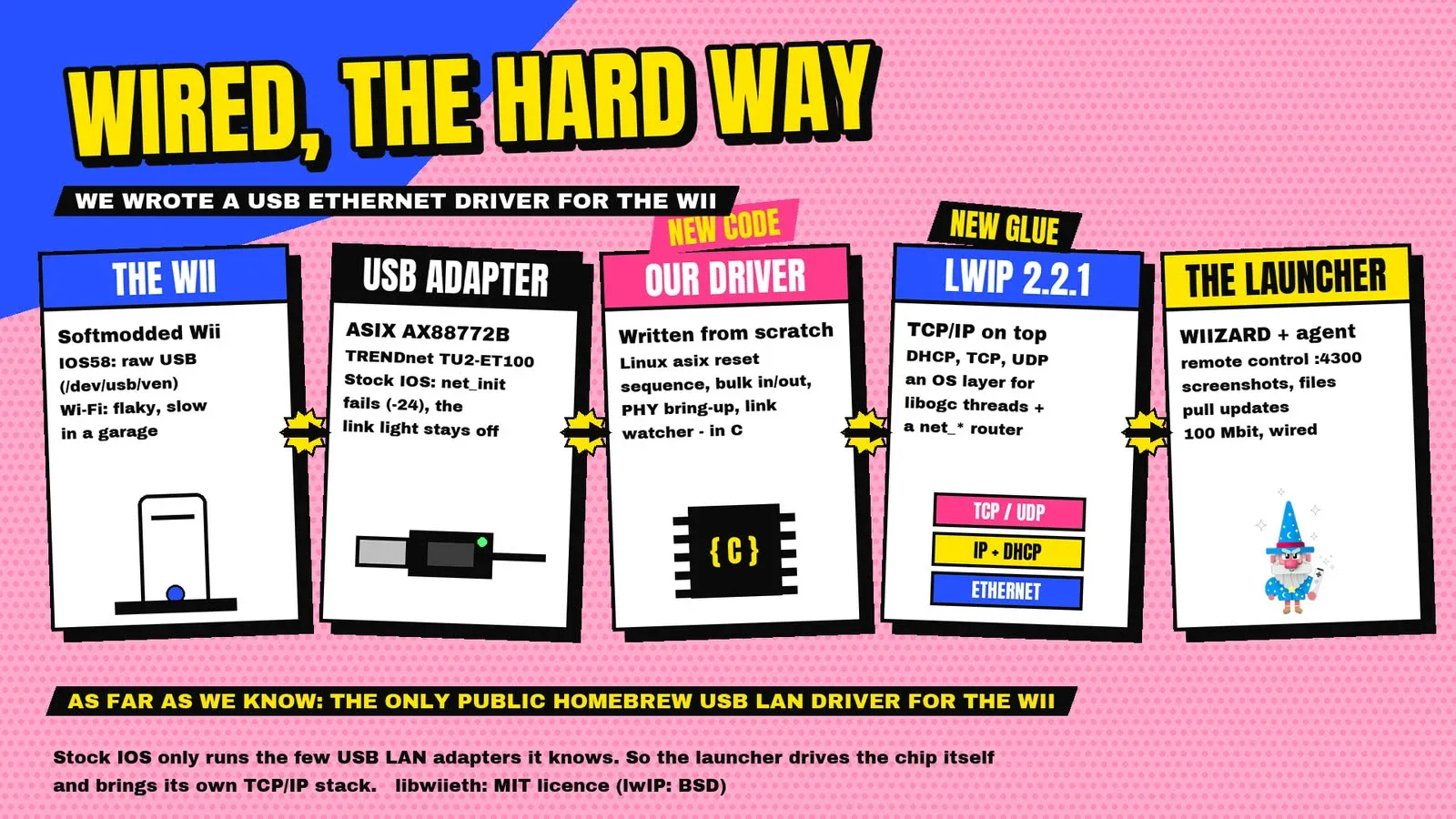
The first cabinet sits next to the router, but its USB network adapter wasn't one the Wii supports. So I wrote a driver for it, with a full network stack on top. As far as I know it's the only public homebrew USB Ethernet driver for the Wii, and I've packaged it as its own library, libwiieth.
The result is software my Wiis never had: it looks great on a CRT, plays with great controls, is easy for anyone to use, and is heavily tested.